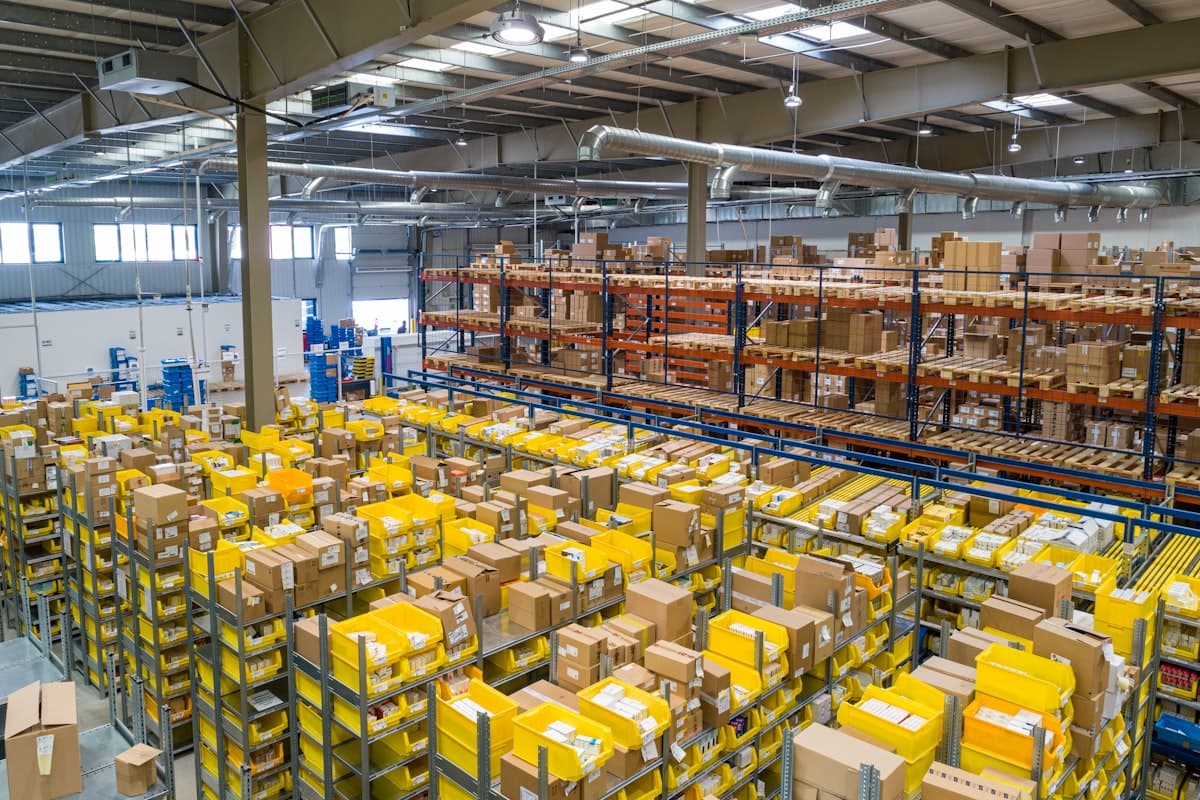

Third-party logistics providers occupy a strange position in the automation conversation. They run some of the most data-intensive, process-heavy operations in business — receiving, put-away, picking, packing, shipping, returns — yet a surprising number still rely on manual workflows for tasks that could be handled by software in seconds.
The businesses that have automated well are not doing anything exotic. They made deliberate choices about where to start, sequenced the investments correctly, and built on a foundation that could handle growth. The ones that are still doing it manually often tried to automate everything at once, had a bad experience, and concluded that automation was not worth the trouble.
This post is about the practical path through 3PL automation — what to address first, what the technology actually does, and where businesses tend to get the sequencing wrong.
Why 3PLs Are Hard to Automate
The challenge with automating 3PL operations is that every client brings different requirements. A 3PL serving a consumer electronics brand has different receiving workflows, different labeling requirements, and different return policies than one serving an apparel retailer. Both are different from one serving a medical device company with compliance requirements.
Most automation tools are built for standardized processes. Your operation is not standardized — it is a composite of dozens of client-specific workflows layered on top of shared physical infrastructure. That mismatch is why off-the-shelf warehouse automation often requires more configuration than vendors admit, and why custom solutions for client-specific workflows often deliver higher returns than general-purpose tools.
The practical implication: automation for 3PLs needs to be designed with multi-client flexibility as a first-class requirement, not an afterthought.
Start With Data, Not Equipment
The most common mistake in 3PL automation is jumping to physical automation — conveyors, robotic pickers, automated storage and retrieval — before fixing the data and system problems underneath.
Physical automation depends on good data. A robotic picking system cannot pick the right item if inventory records are inaccurate. A conveyor cannot route a package to the right carrier if the shipping label is wrong. Automated equipment makes fast processes faster. It also makes fast errors faster.
Before investing in hardware, three data problems are worth solving:
Inventory accuracy. If your physical inventory regularly diverges from what your WMS shows, that needs to be addressed first. The usual causes are receiving errors, put-away errors, and picking errors — each of which can be reduced with barcode scanning or RFID at the relevant touchpoints. Cycle count programs, even manual ones, close the gap faster than most operations expect.
System integration. A 3PL that receives orders from clients via email, phone, and spreadsheet uploads and then manually keys them into a WMS is adding errors at every step. EDI connections, API integrations, or at minimum structured file imports with validation eliminate most of that. The goal is for client orders to enter your system without human transcription.
Label and documentation accuracy. Shipping errors are expensive — carrier surcharges, customer complaints, returned shipments. If labeling is happening manually, even partial automation here (auto-populating labels from order data, printing carrier labels directly from the WMS) reduces error rates significantly.
Get data accuracy above 98% and system integration working before spending a dollar on physical automation.
The Workflow Automation Layer
Once data flows cleanly through your systems, workflow automation is the highest-ROI investment most 3PLs can make. This is software-only work — no hardware required.
Receiving workflows. When an inbound shipment arrives, what happens? If the answer involves spreadsheets, phone calls, and manual log entries, there is a process to automate. A structured receiving workflow in your WMS — or a custom receiving application for client-specific requirements — guides workers through the inspection and put-away steps, captures data at each point, and updates inventory automatically.
Pick optimization. Wave picking, batch picking, and zone picking are not new concepts, but many 3PLs still plan their picks manually or with minimal system assistance. WMS-driven pick optimization reduces the distance workers walk per order, increases picks per hour, and reduces misses. For operations processing hundreds of orders daily, this compounds quickly.
Exception handling. Exceptions — short ships, damaged goods, unable-to-locate items — are handled manually in most operations. Someone notices a problem, tells a supervisor, the supervisor decides what to do, and eventually someone updates the client. Building structured exception workflows that capture the issue, notify the right people, and track resolution time turns an ad hoc process into a measurable one.
Outbound documentation. Bills of lading, packing lists, customs documentation — generating these manually from order data is slow and error-prone. Template-based document generation from your order management system eliminates the keying and reduces the errors.
These are not glamorous. But they are the changes that make operations measurably faster and more accurate within weeks, not months.
Client-Facing Systems
3PL clients increasingly expect real-time visibility. They want to know where their inventory is, when their orders shipped, and what the status of their returns is — without calling you.
A client portal that surfaces this information automatically does two things: it reduces the inbound inquiry volume your team handles, and it differentiates you from competitors who are still sending manual status emails.
The minimum viable version of a client portal shows:
- Current inventory levels by SKU and location
- Open orders and their fulfillment status
- Shipments with tracking numbers and carrier status
- Recent receiving history
This can be built as a read-only view into your WMS data, with client-specific filtering so each client only sees their own inventory. It does not require a new system — it requires surfacing data from the systems you already have.
Reporting automation extends this further. If you are sending clients weekly inventory or throughput reports via email, automating the report generation and delivery eliminates weekly manual work and ensures clients always have current data.
Where Physical Automation Makes Sense
Physical automation — robotics, conveyors, AS/RS — belongs in the conversation once the software layer is solid. The business case for hardware is straightforward: it increases throughput per square foot and per labor hour. The risk is that it requires significant capital, takes months to implement, and creates operational dependencies that are difficult to unwind if the technology does not perform as expected.
A few honest assessments of where physical automation is worth it:
High-volume, repetitive picking. If your operation picks the same small number of SKUs at high volume — think a 3PL serving a subscription box company — robotic picking systems have a strong ROI. The economics break down when SKU count is high and order patterns are unpredictable, because the system cannot be optimized for any particular pick pattern.
Sortation at scale. Automated sorters handle packages faster and more accurately than manual sortation above a certain daily volume — roughly 500-1,000 packages per day depending on package characteristics. Below that volume, the capital cost is difficult to justify.
Storage density in constrained spaces. Automated storage and retrieval systems increase storage density in facilities where space is limited. If you are paying premium rent for square footage and regularly turn down new clients because you are out of space, the ROI calculation is different than if you have room to expand conventionally.
For most small to mid-size 3PLs, the right answer on physical automation is: not yet. Solve the process problems, build the software foundation, and then evaluate hardware when the volume is there to justify it.
Sequencing the Investment
The sequencing mistake we see most often is trying to automate everything simultaneously. A 3PL decides to implement a new WMS, integrate with three client systems, build a client portal, and evaluate robotic picking in the same fiscal year. Eighteen months later, the WMS is partially implemented, the integrations are unstable, the portal is half-built, and the robotics vendor has been put on hold.
A better sequence, roughly:
-
Clean up data and processes first. Improve inventory accuracy, standardize receiving, and eliminate manual steps that introduce errors. This is mostly people and process work, with minimal technology investment.
-
Implement or optimize your WMS. If your WMS is inadequate for your current volume and complexity, fix that before building anything on top of it. The WMS is the foundation everything else depends on.
-
Build system integrations with key clients. Start with your largest clients, the ones where manual order handling creates the most work. Get to automated order receipt and automated status reporting.
-
Automate internal workflows. Receiving, pick optimization, exception handling, document generation. These build on the WMS and integration work from the previous steps.
-
Build the client portal. Once your data is clean and your internal processes are stable, surfacing that data to clients is relatively straightforward.
-
Evaluate physical automation. At this point, you have reliable data on throughput, error rates, and labor costs. You can make a real business case for hardware investment, rather than speculating.
Each step builds on the last. Skipping ahead creates dependencies on unstable foundations.
Measuring the Results
Automation investments in 3PL operations should be measured against a small number of operational metrics:
Order accuracy rate (percentage of orders fulfilled correctly). A baseline below 98.5% is a significant problem. Automation should push this toward 99.5% or better.
Pick rate (units or orders per labor hour). Workflow optimization and, where applicable, physical automation should increase this measurably. Know your baseline before implementing anything.
Receiving cycle time (time from dock arrival to inventory available in WMS). This varies widely by operation, but automation should reduce it — more importantly, it should make it predictable.
Client inquiry volume (inbound calls and emails requesting status information). If this number drops after building a client portal or automating reporting, the portal is doing its job.
Exception rate (orders requiring manual intervention outside the normal workflow). Automation should reduce this over time by catching problems earlier and enforcing process compliance.
Tracking these before and after automation investments gives you defensible ROI numbers and identifies where the next investment should go.
What Good Looks Like
The 3PLs that have gotten automation right do not necessarily have the most sophisticated technology. They have clear processes, reliable data, and software that supports those processes without requiring constant manual intervention.
Clients get real-time visibility without picking up the phone. Receiving teams follow guided workflows rather than improvising. Exceptions get logged and resolved systematically rather than falling through the cracks. Management can look at a dashboard and see what is happening across the operation without pulling together spreadsheets from three different systems.
That is achievable for most operations — not in one project, but through a series of deliberate investments over a 12-to-24 month period. The starting point is an honest assessment of where manual work is causing the most errors and the most cost. Start there.