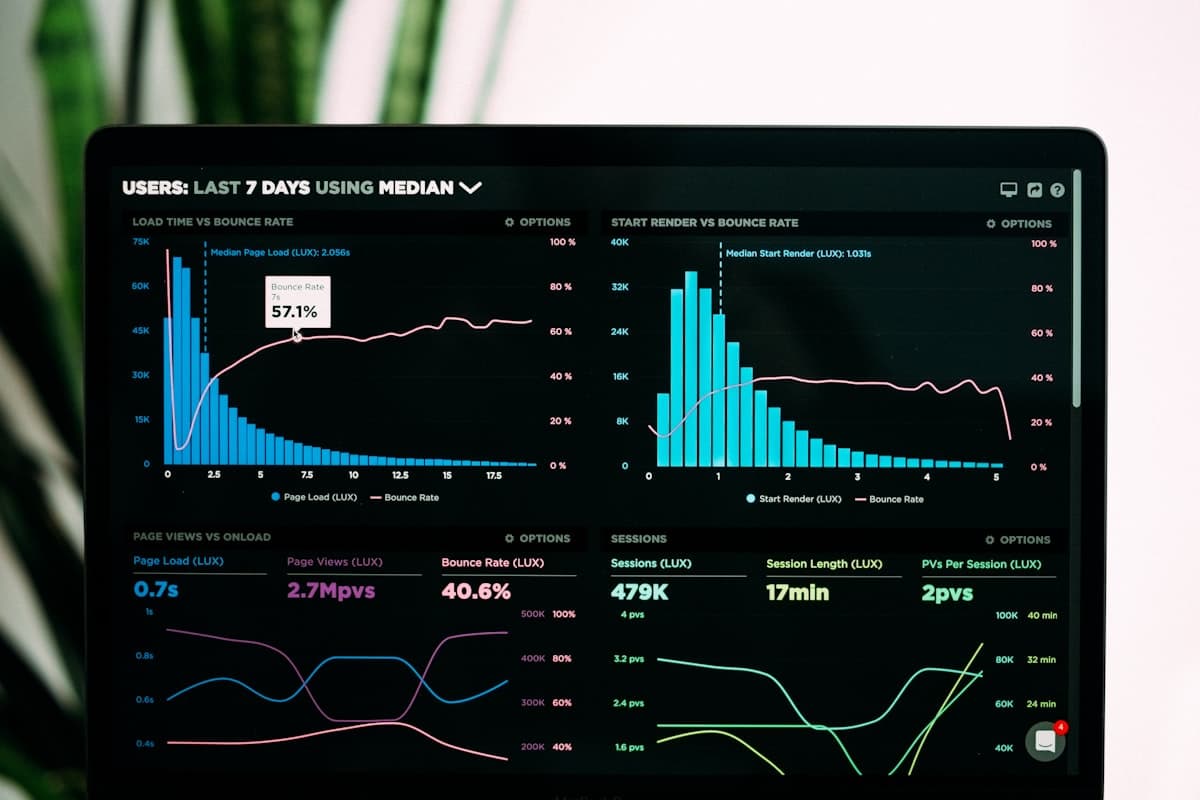

For most of its history, business intelligence was an enterprise tool. It required dedicated data teams, expensive platforms, and months of implementation before anyone saw a dashboard. Growing companies could not justify the cost, so they made decisions based on gut instinct, spreadsheets, and whatever reports their existing software could generate.
That has changed. The tools have gotten more accessible, the costs have dropped, and the expectation has shifted. Today, companies with 20 employees can have the same quality of data insights that used to require a Fortune 500 budget. Here are the trends driving that shift.
Self-Service Analytics
The most significant change in business intelligence is who uses it. Traditional BI required analysts or engineers to build reports, write queries, and interpret results for business users. If a sales manager wanted to see conversion rates by region, they submitted a request and waited.
Self-service analytics puts the tools directly in the hands of the people who need the data. Modern BI platforms use drag-and-drop interfaces, natural language queries, and pre-built templates that let non-technical users explore data, build their own reports, and answer their own questions.
This is not just a convenience improvement. It fundamentally changes how fast a company can act on its data. When the person with the question can also find the answer, the gap between "I wonder" and "now I know" shrinks from days to minutes.
What to look for: Platforms that balance power with simplicity. The interface should be intuitive enough for a marketing manager to use without training, but flexible enough to handle complex queries when needed.
Embedded Analytics
Instead of switching to a separate BI tool to check metrics, embedded analytics brings the data directly into the applications people already use. A CRM that shows deal pipeline analytics inline. An inventory system that surfaces reorder alerts based on consumption trends. A project management tool with built-in resource utilization charts.
Embedded BI matters because context is everything. A chart on a standalone dashboard is informative. The same chart appearing next to the data it references, at the moment a decision needs to be made, is actionable.
For companies building custom software, embedded analytics is becoming a standard expectation rather than a premium feature. Users want insights where they work, not in a separate tool they have to remember to check.
Real-Time Data Processing
Batch processing — collecting data throughout the day and running reports overnight — used to be the only option. Now, real-time and near-real-time data processing is accessible to companies of all sizes.
The difference matters more than it might seem. A daily sales report tells you what happened yesterday. A real-time dashboard tells you what is happening right now. For e-commerce businesses monitoring flash sales, logistics companies tracking deliveries, or customer service teams watching ticket volumes, the ability to see current data and react immediately is a competitive advantage.
Real-time BI does not mean every metric needs to update every second. It means the metrics that matter most — the ones tied to time-sensitive decisions — should reflect current reality, not yesterday's snapshot.
AI-Powered Insights
The practical application of AI in business intelligence is not replacing analysts. It is surfacing patterns and anomalies that humans would miss in large datasets.
Anomaly detection. AI can monitor thousands of metrics simultaneously and flag when something deviates from normal patterns. A sudden spike in customer churn. An unexpected drop in website conversion. A supplier whose delivery times are gradually increasing. These signals exist in the data, but no human can watch everything at once.
Predictive analytics. Rather than just reporting what happened, AI-powered BI can forecast what is likely to happen. Revenue projections based on pipeline data. Inventory needs based on seasonal patterns and current trends. Customer lifetime value predictions that inform acquisition spending.
Natural language queries. Instead of learning a query language or navigating complex filter menus, users can ask questions in plain English. "What were our top-selling products in Q3?" or "Which sales rep has the highest close rate on deals over $50k?" The system interprets the question and returns the answer.
These capabilities are moving from experimental to practical. They are not perfect, and they work best when combined with human judgment. But they make BI tools dramatically more useful for people who do not have a background in data analysis.
Data Governance and Quality
As more people across an organization access and analyze data, governance becomes critical. Without it, different teams end up with different numbers for the same metric, eroding trust in the data and the decisions based on it.
Modern BI platforms address this with centralized data models, defined metrics, and access controls that ensure everyone is working from the same source of truth. They also include data quality monitoring that flags inconsistencies, missing values, and anomalies in the underlying data before they corrupt reports and dashboards.
For growing companies, establishing data governance early is far easier than retrofitting it later. The cost of bad data compounds over time — inaccurate reports lead to bad decisions, which lead to wasted resources.
Cloud-Native BI
On-premise BI infrastructure required significant upfront investment in servers, storage, and maintenance. Cloud-native BI platforms eliminate that barrier entirely. You pay for what you use, scale up or down as needed, and let the platform provider handle the infrastructure.
Cloud BI also enables access from anywhere, which matters for distributed teams. A manager traveling can check the same dashboard from their phone that they would see at their desk. A remote analyst can run the same queries they would run in the office.
For growing companies, cloud-native BI means you can start small and scale your analytics capabilities alongside your business without large capital expenditures or complex migrations.
Getting Started Without Getting Overwhelmed
The biggest mistake growing companies make with BI is trying to do everything at once. They buy a platform, try to connect every data source, and attempt to build dashboards for every department simultaneously. The project stalls under its own weight, and the team goes back to spreadsheets.
A better approach:
- Start with one question. What is the single most important metric or question that your team currently cannot answer quickly? Build around that first.
- Connect two or three data sources. Your CRM, your financial system, and maybe your marketing platform. Get those talking to each other before adding more.
- Build for the users who will actually use it. A dashboard that the sales team checks daily is worth more than a comprehensive analytics platform that nobody opens.
- Iterate. Once the first use case is working, expand. Add data sources, build new dashboards, train more users. Each step builds on the one before it.
Building Data-Driven Decisions With Mindwerks
At Mindwerks, we help growing companies turn their data into something they can actually use. Whether that means building custom dashboards, integrating analytics into existing software, or designing a data strategy from scratch, we focus on practical outcomes over impressive demos.
If you are sitting on data you know is valuable but are not sure how to use it, let us talk. We will help you figure out what to measure, how to measure it, and how to make it part of how your team makes decisions every day.